
How to use Enrich-CRM within Zapier.com
If you've ever worked with lead lists in Google Sheets, you know the problem: The data looks fine at first… Until you realize company names are missing,
On this page
If you've ever worked with lead lists in Google Sheets, you know the problem:
The data looks fine at first…
Until you realize company names are missing, websites are outdated, and half the rows lack real context.
That's where Zapier + Enrich-CRM come in.
With this setup, every time a row is updated in Google Sheets, it's automatically enriched with fresh company and contact data — no manual research, no copy-pasting, no guessing.
Let's break down exactly how this enrichment workflow works 👇
Your Enrichment Workflow (Google Sheets → Enrich-CRM)
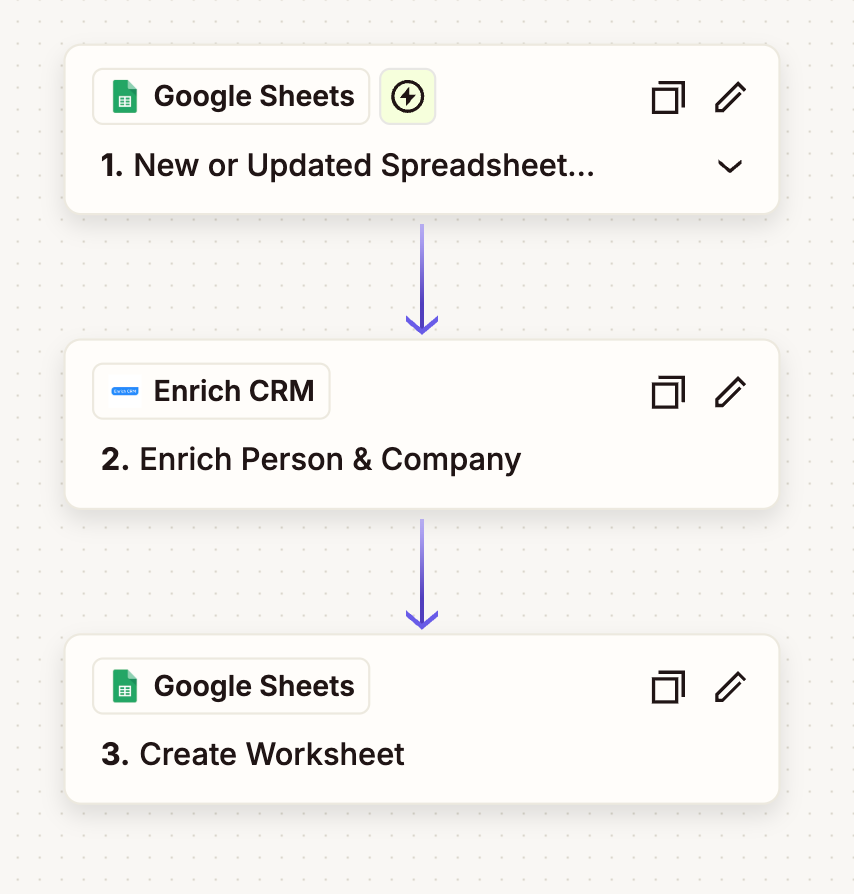
This Zap connects Google Sheets, Zapier, and Enrich CRM into a single, automated flow.
Once turned on, your spreadsheet enriches itself.
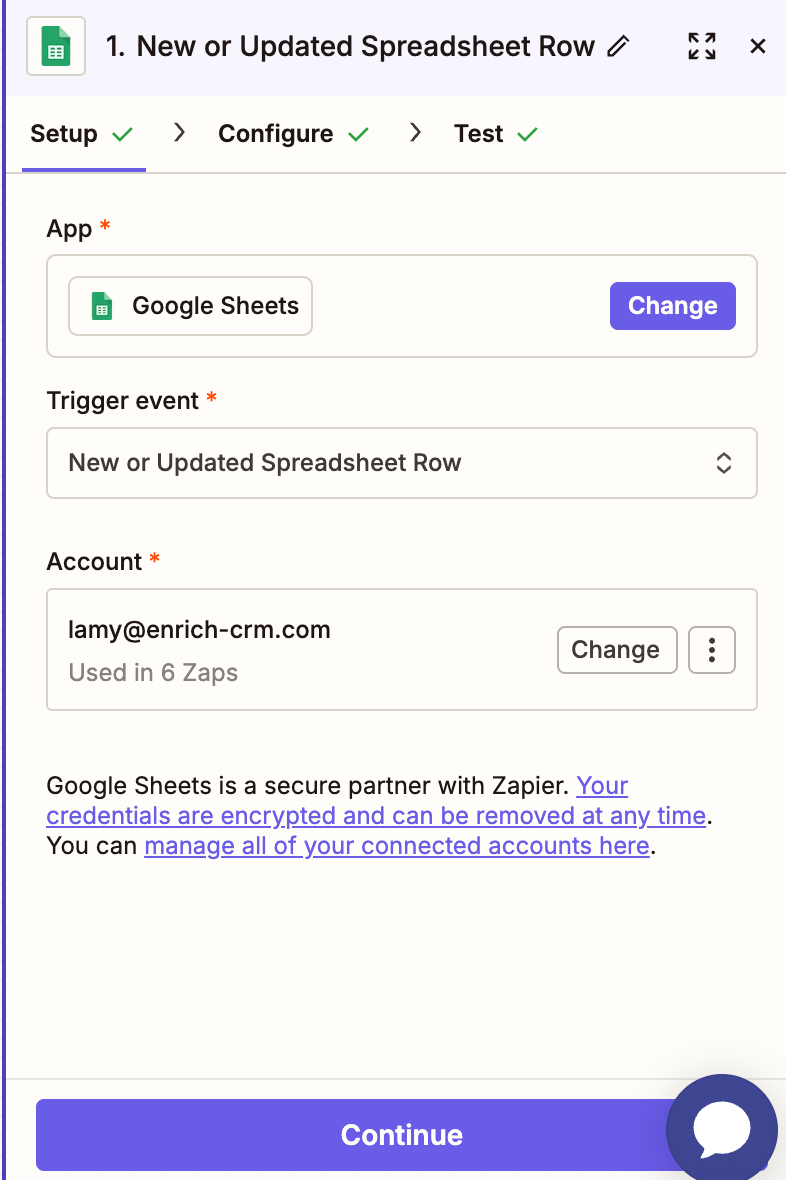
Step 1: Google Sheets Trigger 📊
The workflow starts in Google Sheets.
Zapier watches for updated rows in your sheet — in this case, a file called "test file upload".
To avoid processing the same row multiple times, the email column is used as the unique identifier.
What this means in practice:
- You update or add a row
- Zapier detects the change
- That row moves through enrichment automatically
No duplicates.
No reprocessing.
Clean logic from the start.
Step 2: Enrich-CRM Search 🔍
Next, Zapier sends the row data to Enrich-CRM.
Enrich-CRM then:
- Searches for person and company data
- Uses identifiers like email and name
- Runs real-time enrichment across reliable data sources
The result?
- Verified contact details
- Firmographic insights
- Company-level context
- Tech stack data (when available)
This is where a basic spreadsheet row turns into usable, enriched data.
Step 3: Update Google Sheet ✍️
Once enrichment is complete, Zapier writes the enriched data back into the same Google Sheet.
Here's exactly what gets updated:
- Company Name → from Enrich-CRM
- First Name → from Enrich-CRM
- Last Name → from Enrich-CRM
- Email → preserved from the original row
- Company Website → from Enrich-CRM
Your original data stays intact, and enriched fields fill in the gaps.
No overwriting mistakes.
No messy columns.
No manual cleanup.
Why This Workflow Works So Well
This setup is powerful because it's:
- Event-based – enrichment happens only when a row changes
- Accurate – email prevents duplicates
- Scalable – works for 10 rows or 10,000
- Simple – no engineering required
Whether you're qualifying leads, cleaning imports, or preparing lists for sales, this workflow ensures your data is always enriched at the source.
Next Steps 🚀
You're almost done.
To start enriching data automatically:
- Turn on your Zap
- Update or add rows in your Google Sheet
- Watch Enrich-CRM fill in company and contact data instantly
From now on, every update triggers enrichment — quietly, reliably, and automatically.
Your setup is complete and ready to go 🚀