Connect your HubSpot with data enrichment tool
If you've ever opened your CRM and felt unsure about who your real customers are, which markets deserve your attention, or whether your contacts
On this page
If you've ever opened your CRM and felt unsure about who your real customers are, which markets deserve your attention, or whether your contacts still work at the same companies — you're not alone.
Almost every sales team faces this problem.
Honestly, it's no one's fault, it just happens.
CRMs are only as good as the data inside them.
That's why this guide shows you how to connect HubSpot with Enrich CRM — a setup that takes just a few minutes but instantly upgrades the quality, depth, and accuracy of your entire database.
Purpose
This guide helps you connect your HubSpot account with the Enrich-CRM app and activate Live Enrichment.
Once it's set up, every new contact and company added to HubSpot gets enriched automatically thats giving you cleaner, richer, and more reliable data from day one.
Context
Sales and marketing teams add new contacts and companies to HubSpot nonstop : manual inputs, imports, plus tools like Lusha, Clay, Apollo, ZoomInfo, and others.
That's usually when the chaos begins: duplicates, missing associations, incomplete records… all the stuff that makes CRMs messy.
Live Enrichment solves this by enriching each new record the moment it enters HubSpot.
The result?
Harmonized data, fewer duplicates, and a CRM that actually stays clean — automatically.
Let's go step by step 👇
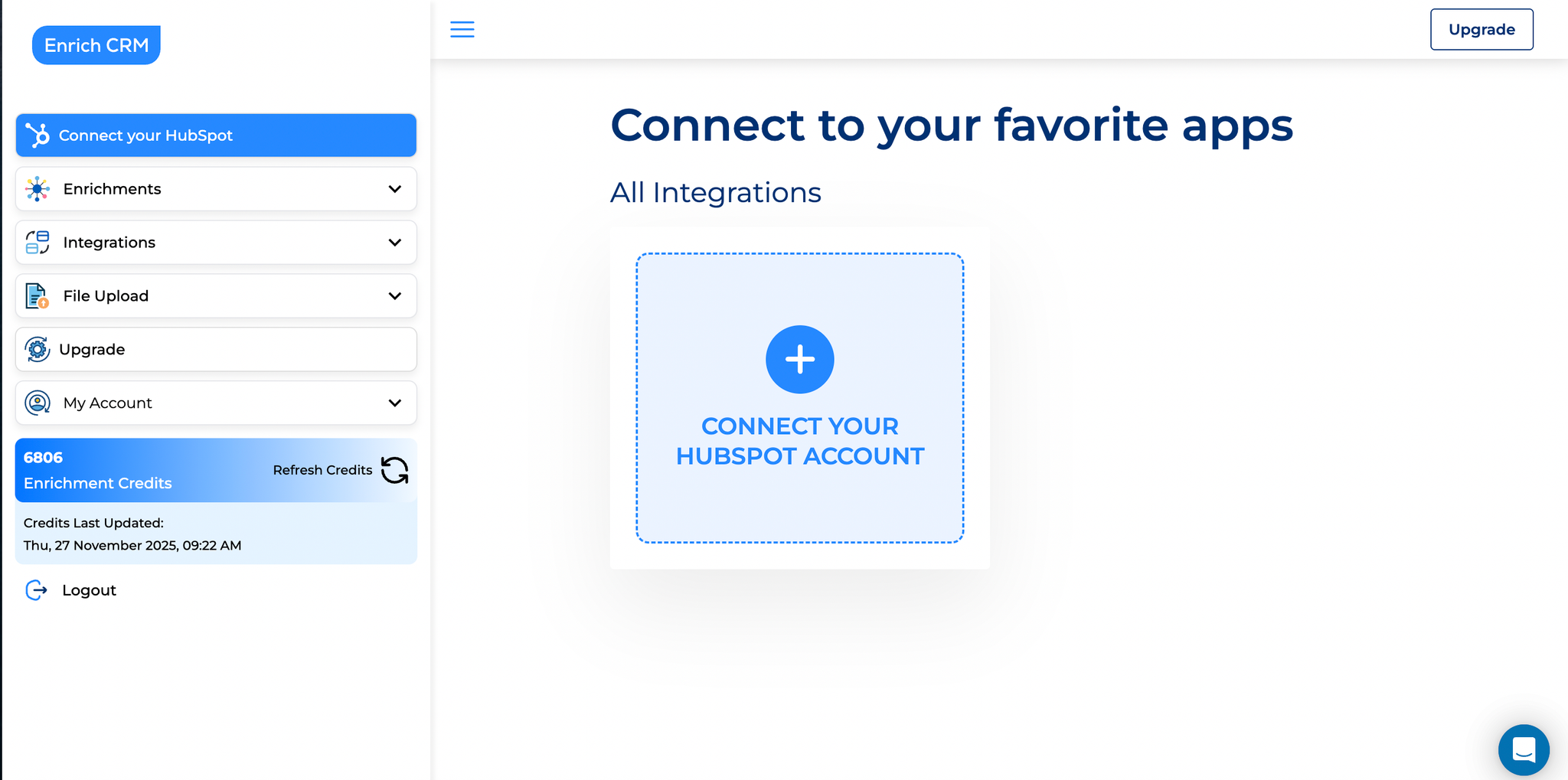
1. Start by Connecting Your HubSpot Account
Visit this page to get started : https://enrich-crm.com/user-integration
That's where it all begins.
Click the "+" button, and HubSpot will ask you to sign in.
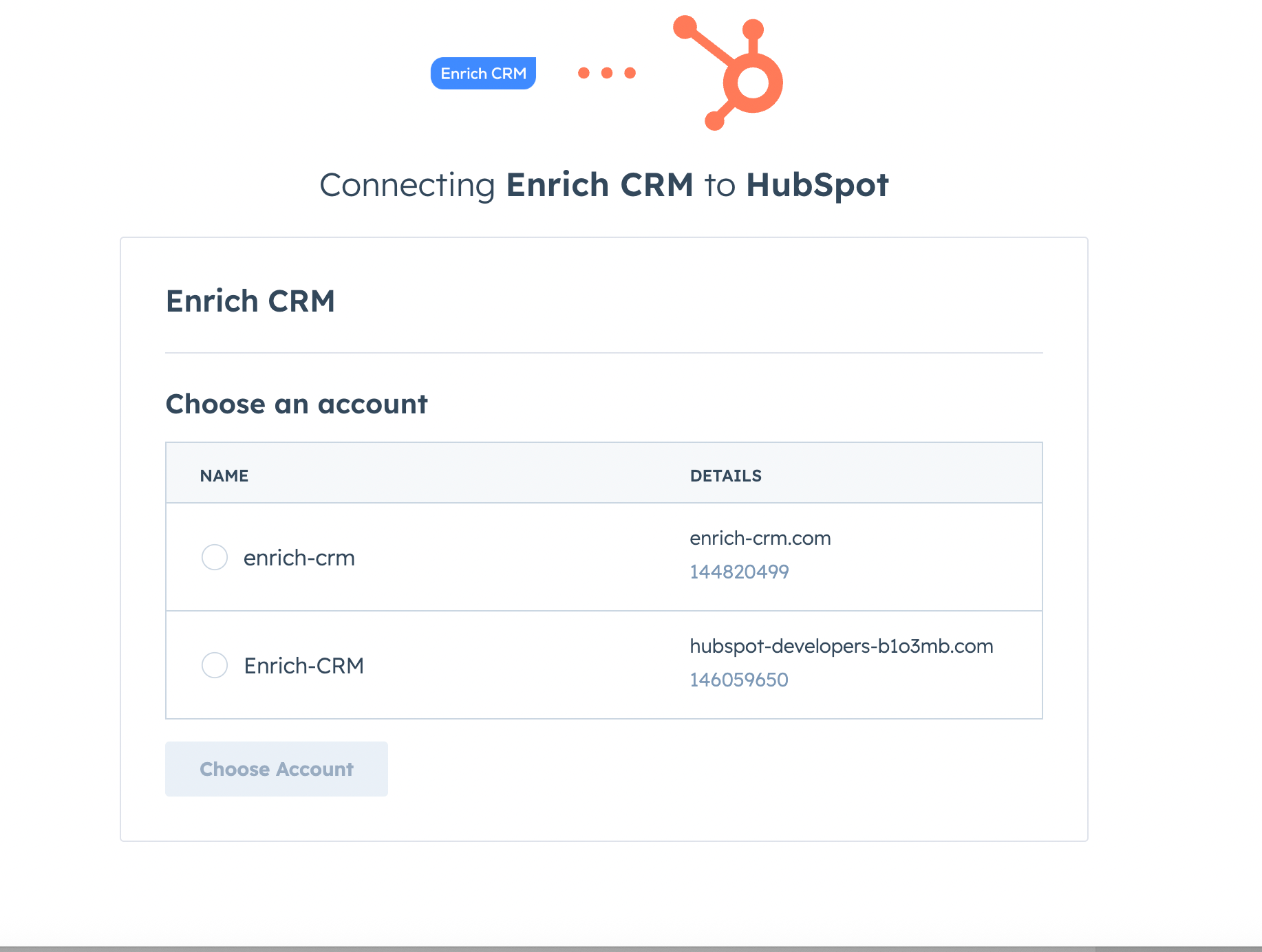
If you manage multiple HubSpot accounts, you'll get a quick prompt to choose the right one.
If you only have one? Even easier — it connects automatically.
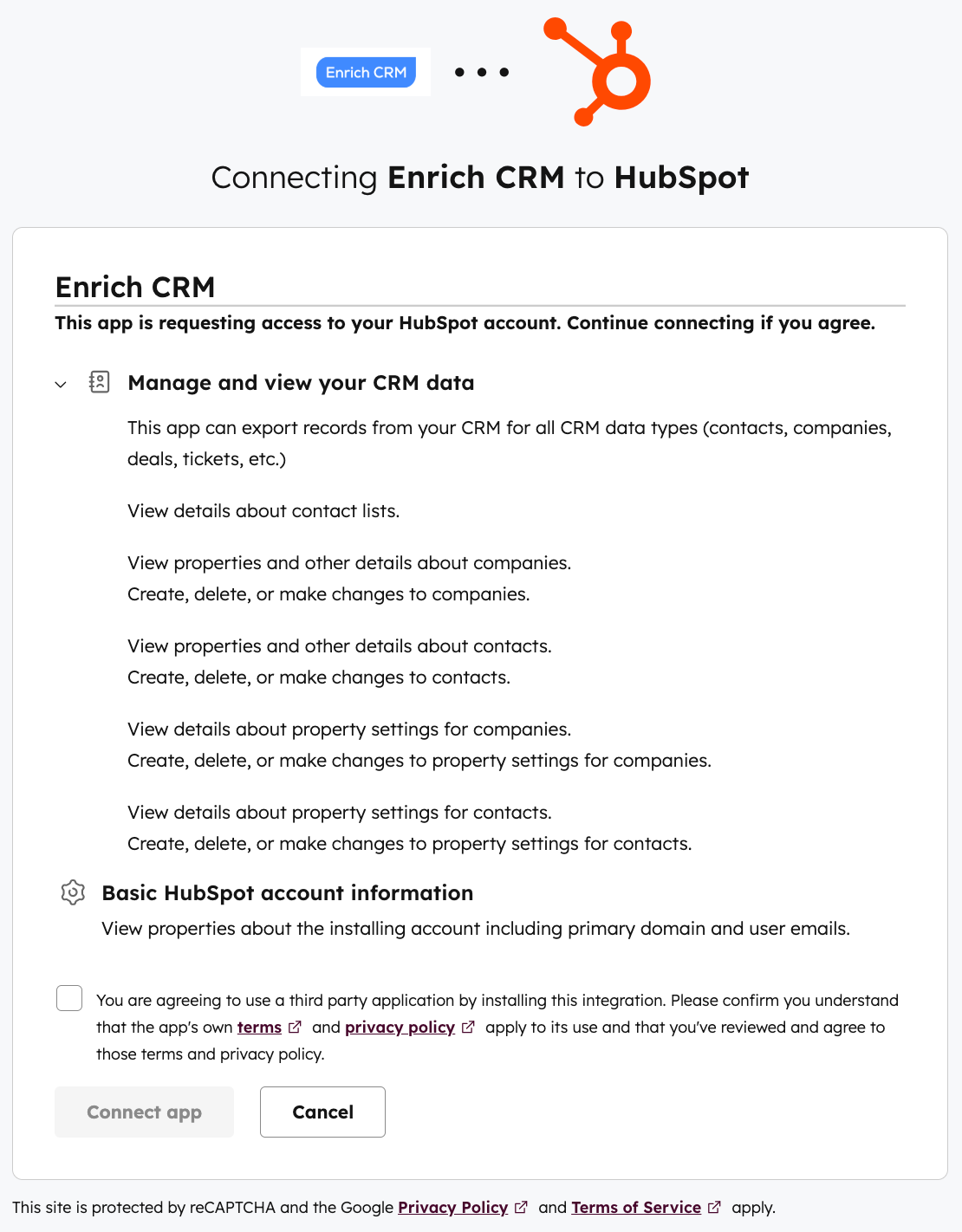
- The Enrich CRM app is an official HubSpot app, which means the code has been reviewed by the HubSpot team.
- Enrich CRM is fully GDPR-compliant — you can read more here: https://enrich-crm.com/data-processing-agreement/
TLDR: Enrich-CRM pulls contact and company data from your HubSpot account, runs real time searches over the web to turn unstructured data into relevant, verified and detailed datapoints and pushes it back to your HubSpot account.
Enrich-CRM processes data but doesn't store it.
- The Enrich-CRM HubSpot app never erases existing data. It creates new fields, and you can revert changes anytime within 5 minutes.
Once that's done, your Enrich CRM account is officially linked with HubSpot.
Easy, right? ✅
2. Let's configure live enrichment rules
Now it's time to set up rules that will apply to every new contact and company record added to your HubSpot account. This gives you harmonized data and lets you configure custom merging rules, scoring, engagement, and more.
This part is actually pretty fun because you get to decide what kind of information you want your contacts and companies to have enriched:
- Contact
- Firmographics
- Tech stack
- Finance
- French SIRENE
- Email finder
Enriched data will be added under new properties in your HubSpot account. You can see it under Actions > View all properties
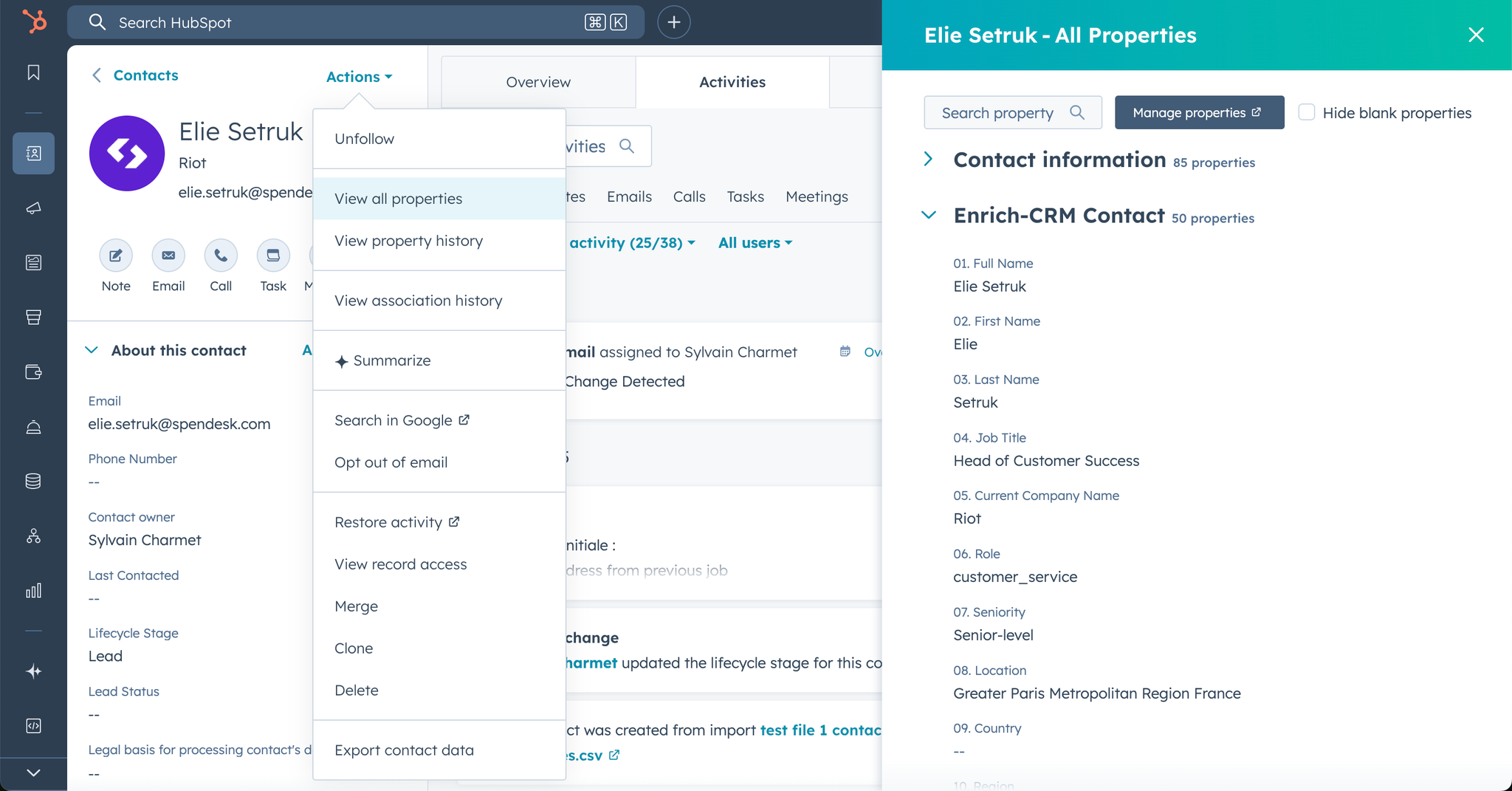
As you can see, the Enrich-CRM app created new property groups and fields. Again, no existing data will be overwrite !
You gets to decide which datapoint are relevant for you just after connecting the app to HubSpot at this step :
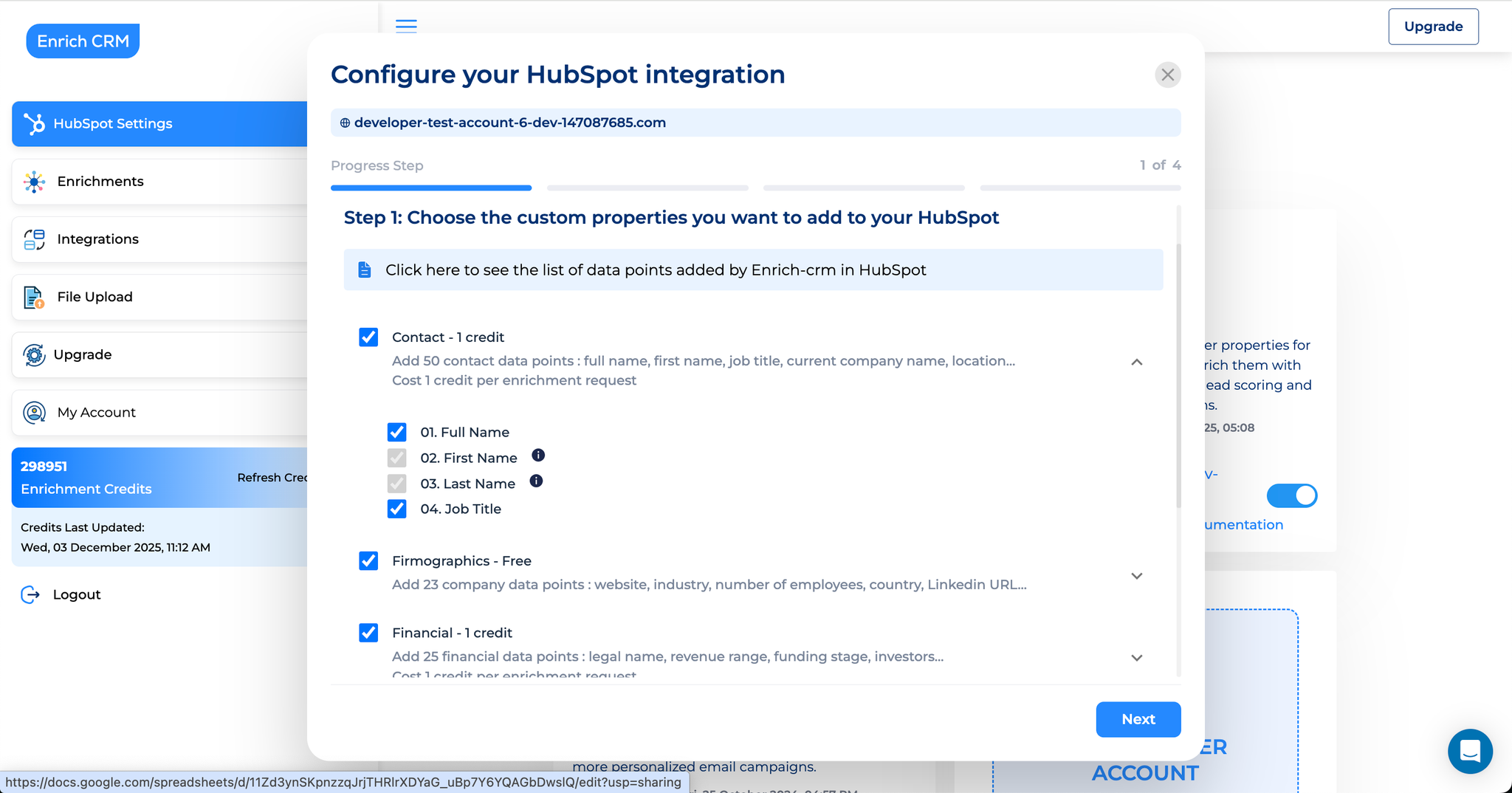
Please explore the full list of datapoints covered by Enrich-CRM https://docs.google.com/spreadsheets/d/11Zd3ynSKpnzzqJrjTHRlrXDYaG_uBp7Y6YQAGbDwslQ/ it will help you define which fields to take or leave.
We will cover the Credit Management topic in an other article but the important thing to understand is: each group of properties you choose cost 1 credit no matter the number of datapoints you take.
One thing many teams miss:
Firmographics (company-level enrichment) is 100% free for all paid and free plans in HubSpot 🎁
That means you get valuable company insights such as industry, headquarter location, range of employees, website… without spending a single credit.
3. Decide Where Your Enriched Company Data Should Live
Next, you choose whether enriched company information should be stored under:
- The Contact page > perfect option when you manage sales and marketing at the contact level.
- The Company page > perfect option when you manage sales and marketing at the company level.
- Both Contact and Company page > allows you to display company datapoints on the contact page (sales usually love it). It also simplifies: scoring, list/segment building, workflows…
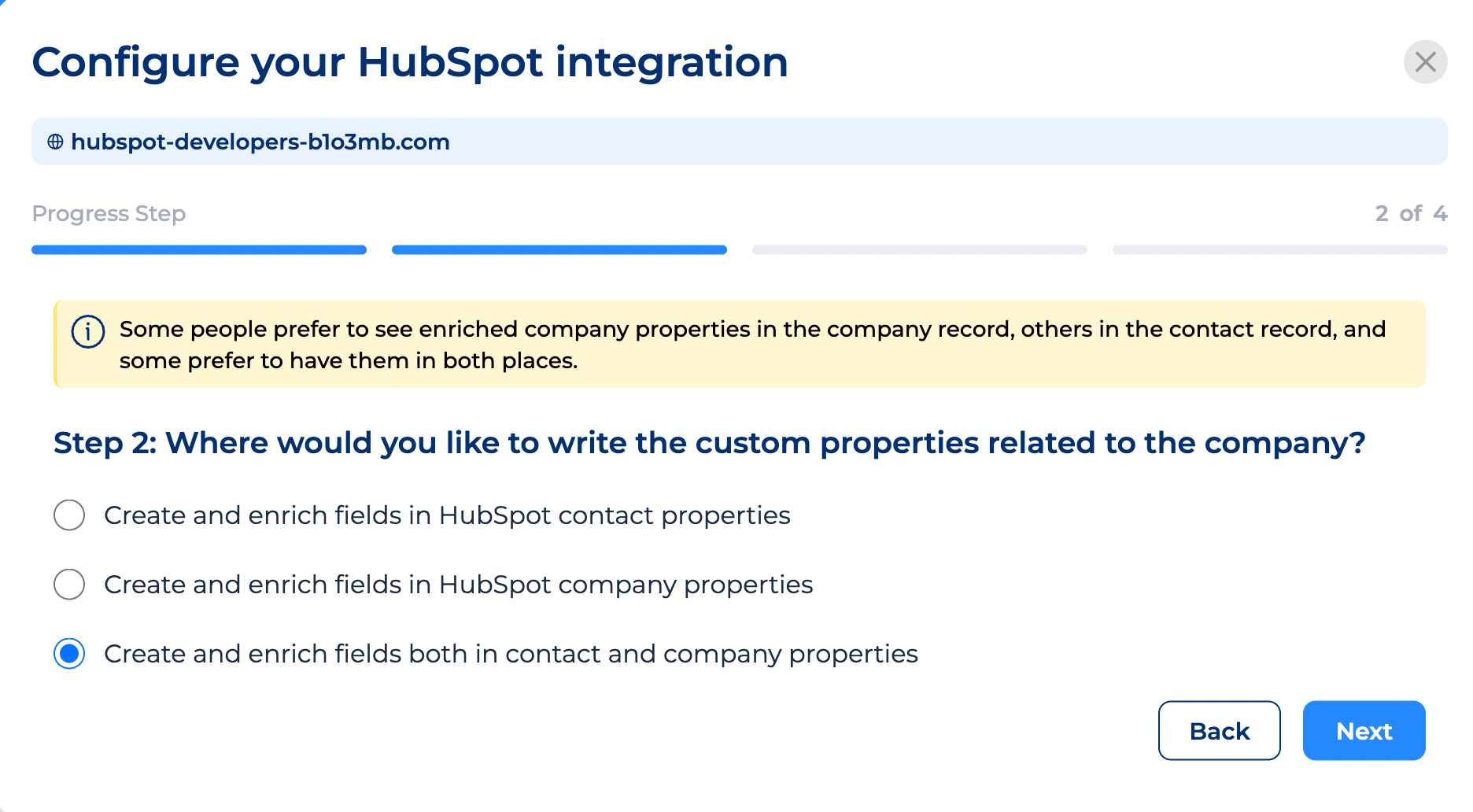
The choice is yours and you can revert any time.
Just select your preference and continue. 👉
4. Turn On Job Change Detection (This One's a Big Deal)
This is one of the most overlooked but most valuable features in the entire setup.
People change jobs constantly. ⛈️
Your CRM usually doesn't notice.
That's how teams end up emailing contacts who left months ago, wasting nurture time, and guessing why bounce rates are climbing.
Job Change Detection solves that. 🤯
Here for example, we have Elie that was added to HubSpot when he was working at Spendesk.com - Enrich-CRM detected he is now working at Riot.
What happened: Enrich-CRM detected a new company for Elie, checked if his new company already exists in HubSpot, created it (if it didn't already exist) and associated the new company to Elie's page as "Primary company". We also got a custom HubSpot task assigned to the contact owner.
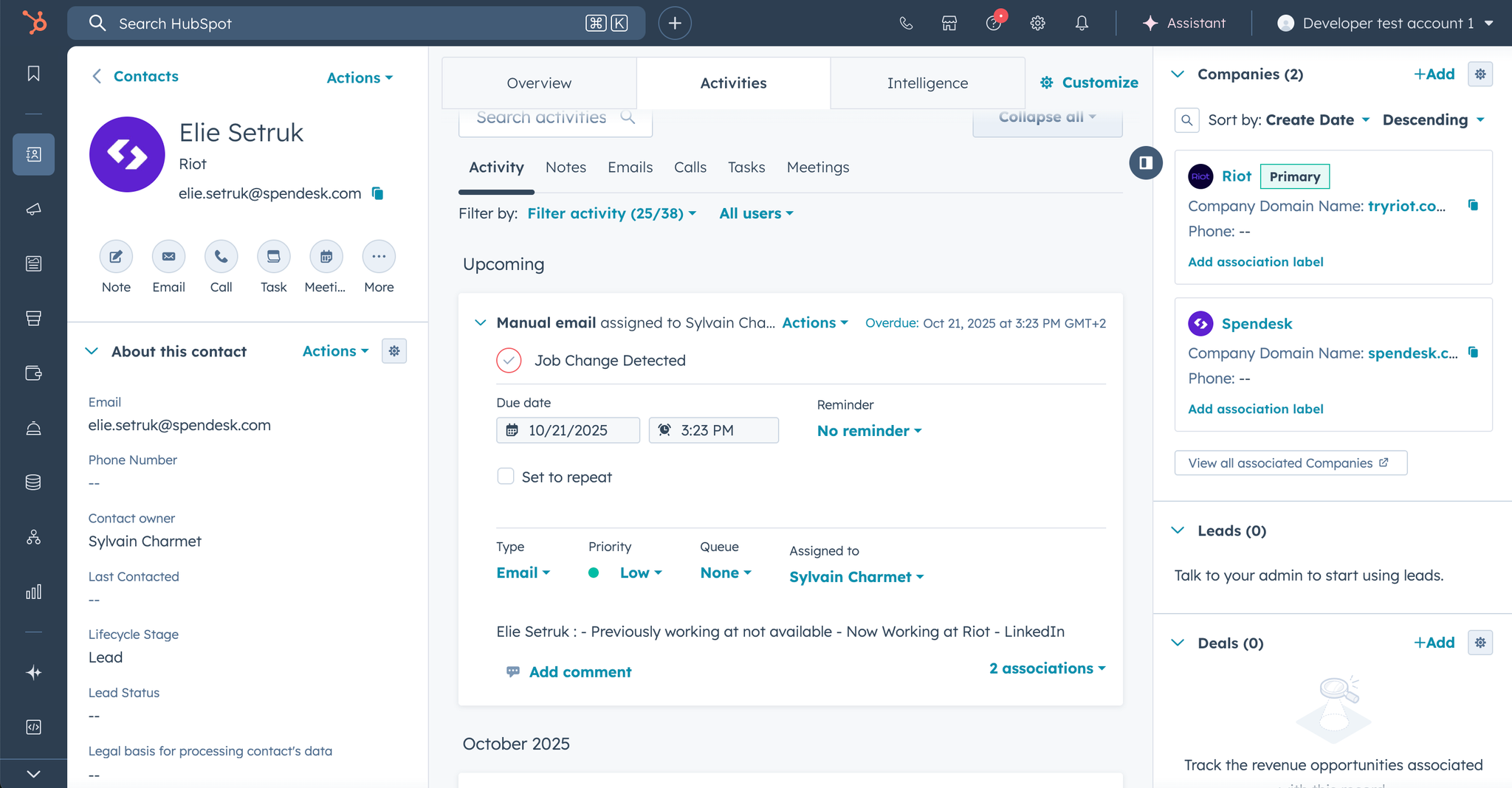
In Enrich-CRM, when a contact changes roles or companies, you can choose to:
- Automatically create and associate their new company
and/or
- Automatically create a HubSpot task for your team to follow up
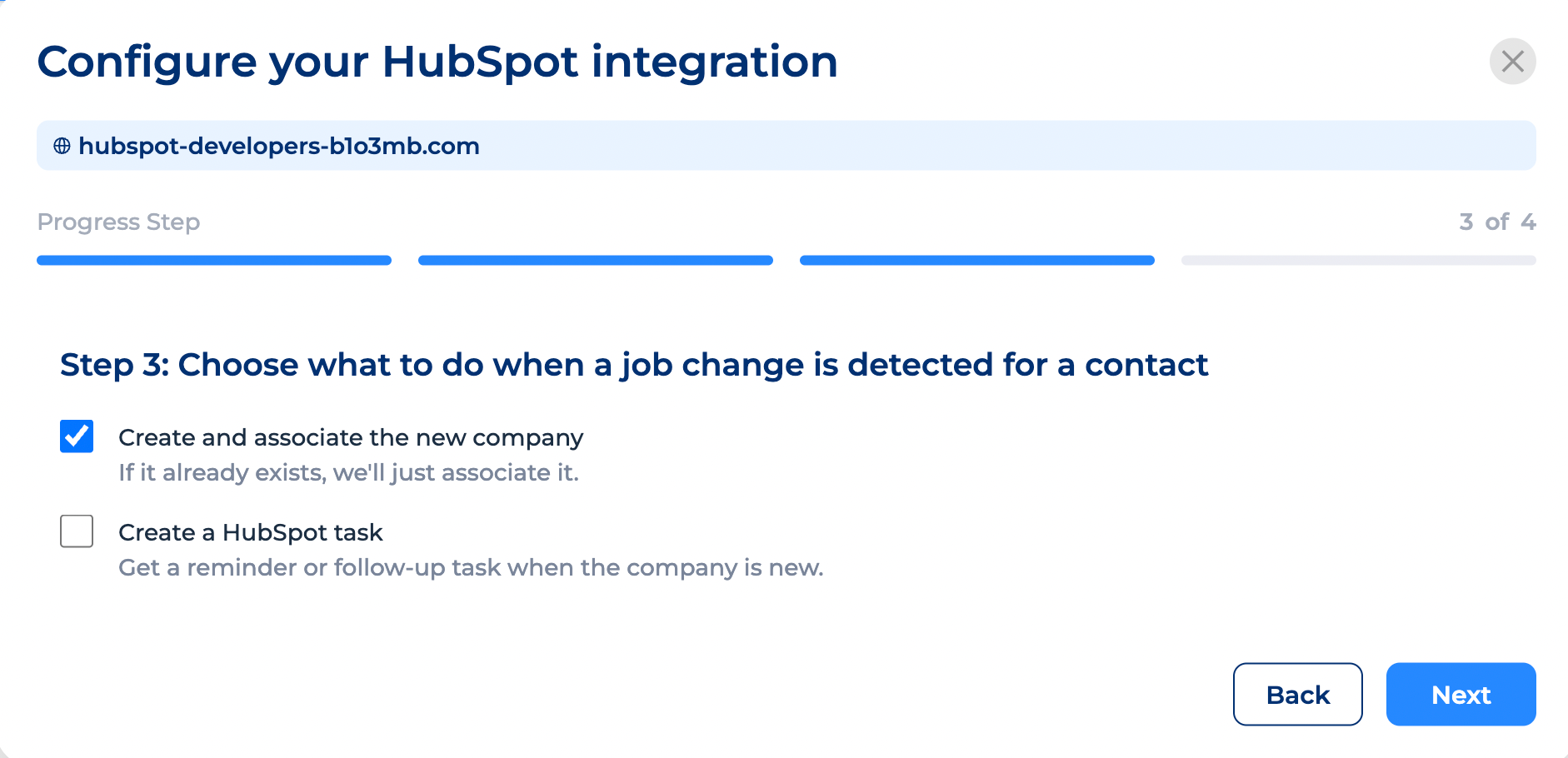
A few important notes for real-life scenarios:
- We don't duplicate contacts, we update info of existing records. This way you keep all historical context attached to your contact and only update relevant infos.
- We don't duplicate or erase old data. The old company stays attached so you keep the historical relationship.
- Most bounced emails = job change. With detection turned on, you can track this, stay ahead of budgets, and avoid bouncing altogether.
5. Enable Live Enrichment for New Contacts and Companies
This step keeps your CRM clean automatically.
You can choose to turn on live enrichment for:
- Newly added contacts
- Newly added companies
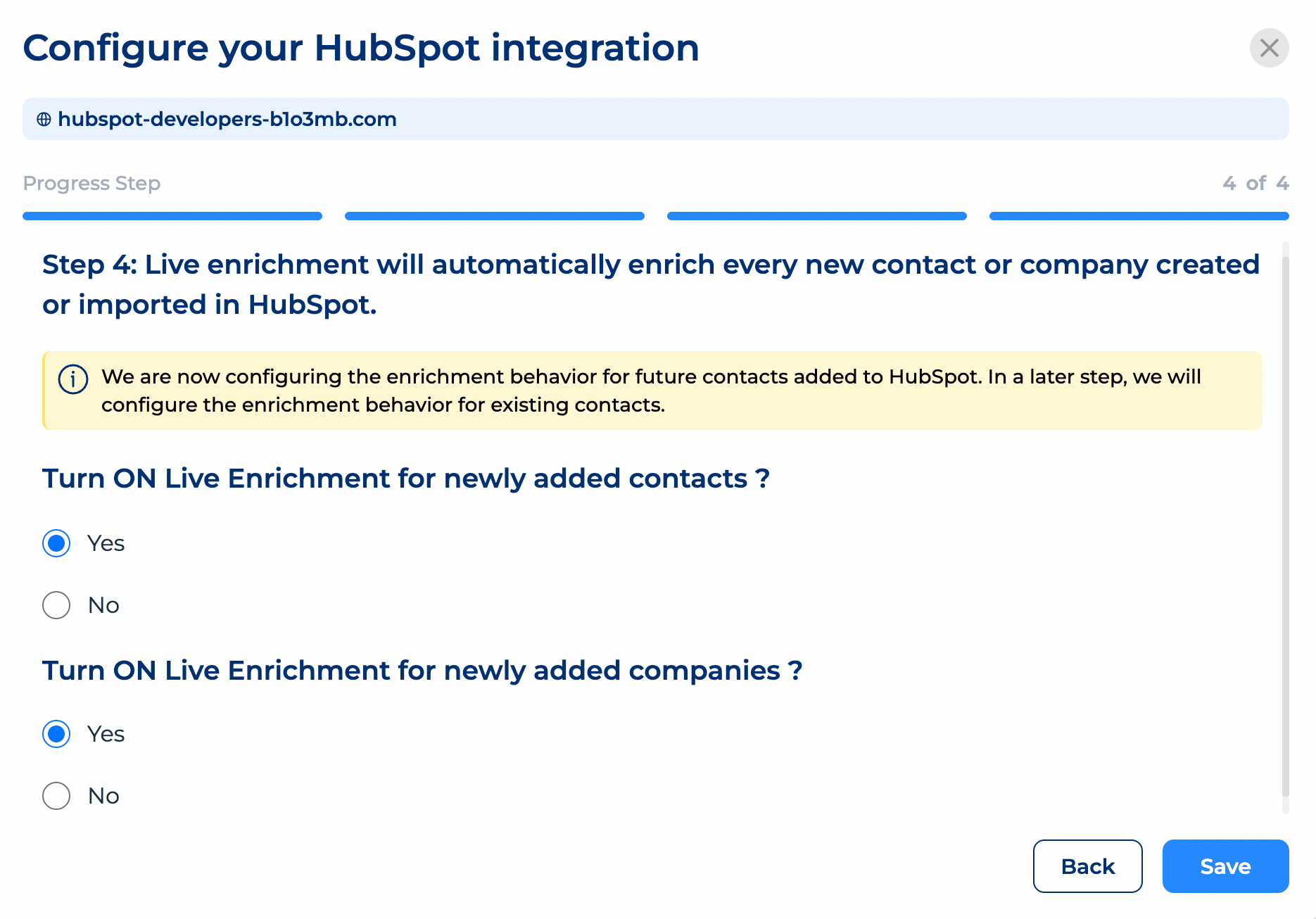
Whether you add them manually, import them, or sync them from third-party tools — the enrichment engine updates them instantly.
We usually recommend:
- Yes for companies
- Yes for contacts
Once set, you're good to go. 🚘 👉
6. Save Your Settings — And You're Done
After hitting Save, your HubSpot ↔ Enrich CRM setup is officially complete. 🙌 🎉
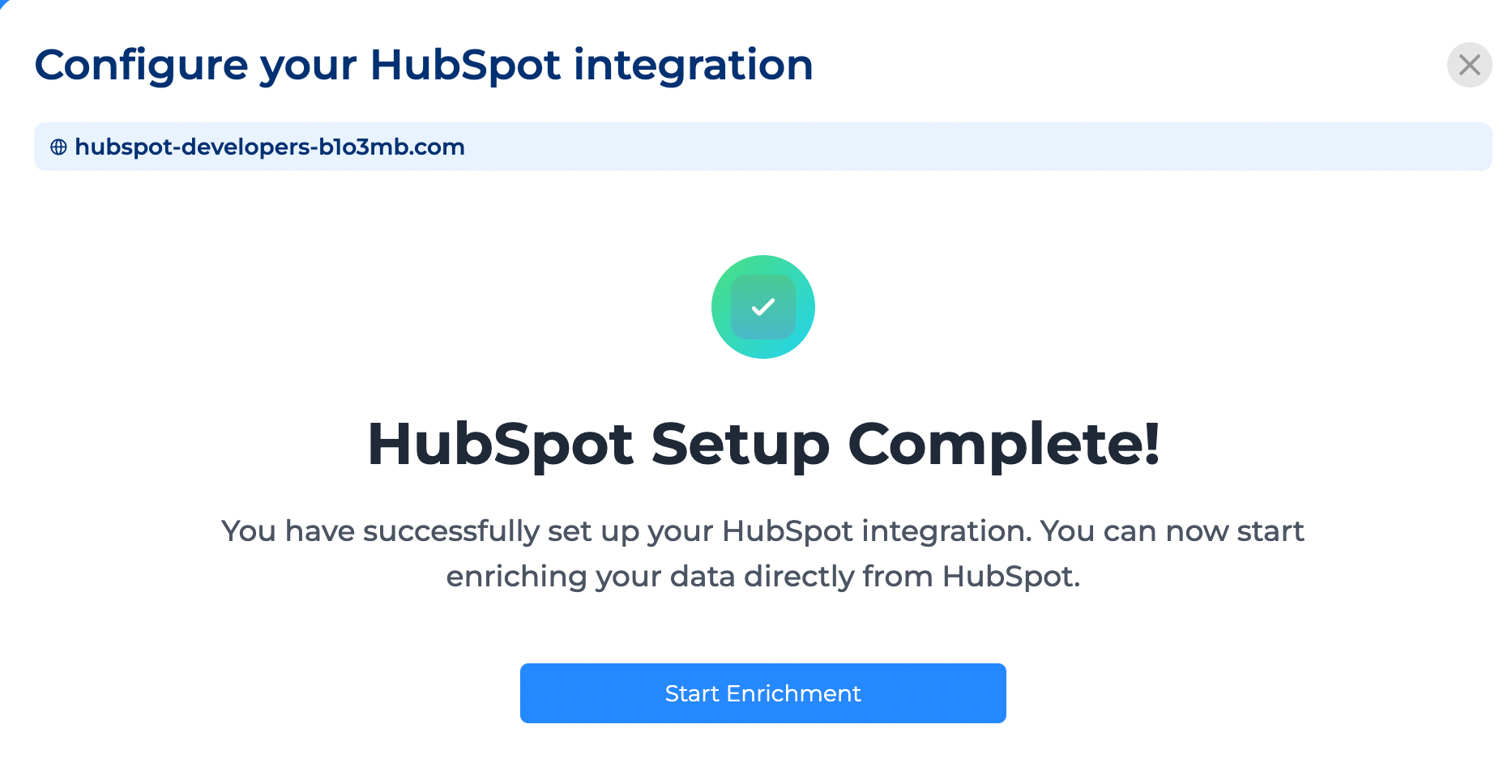
From now on:
- Your data starts enriching right away
- Company records become richer and more accurate
- Job changes get detected
- New entries stay up-to-date
- And your CRM gradually transforms into something far more trustworthy
This is where the magic happens. 🪄