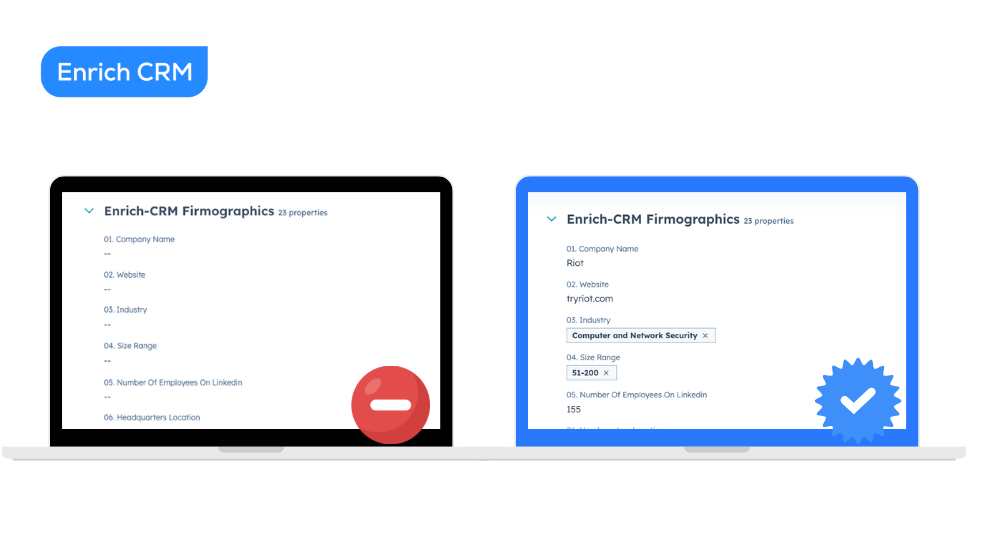
Enriching your database is easy
When people first hear the term data enrichment, it can sound technical or overwhelming. But once you actually see what enriched data looks like inside your
On this page
When people first hear the term "data enrichment," it can sound technical or overwhelming.
But once you actually see what enriched data looks like inside your CRM, everything clicks.
Suddenly, contacts become more than names.
Companies become more than empty fields.
And your CRM finally feels like something you can use — not fight with.
So today, let's walk through exactly how enrichment works inside Enrich CRM and how you can easily run a complete enrichment task for your HubSpot database.
Purpose
The purpose of this guide is to show you exactly how to run a full Enrichment Task inside Enrich CRM and apply it to your HubSpot database.
You'll learn how to turn plain, incomplete records into rich profiles filled with the context your team actually needs without complexity, guesswork, or technical hurdles.
Context
Most CRMs start clean and then slowly fall apart.
New contacts get added every day from imports, integrations, manual entries… and before you know it, you're staring at half-filled profiles, missing key fields, and data you can't actually use.
That's why enrichment matters.
It takes the messy, inconsistent data you already have and transforms it into something your sales and marketing teams can understand, segment, and act on.
Instead of chasing missing info, you finally get the insights you wish HubSpot had by default.
Grab a coffee — let's go step by step together. ☕️
1. What Enriched Data Actually Looks Like
Before we jump into the setup, it's helpful to see the final result.
Once enriched, her record transforms from basic details into a fully informative profile, including:
- Job title
- Seniority level
- Location
- Skill set
- Years of experience
- Certifications
- And more
It feels less like a vague lead and more like a real person you can actually understand and qualify.
The same thing happens at the company level.
With Firmographics Data Enrichment, you get:
- Company name
- Industry
- Size range
- Number of employees
- Headquarters location
- Specialties
- And many more…
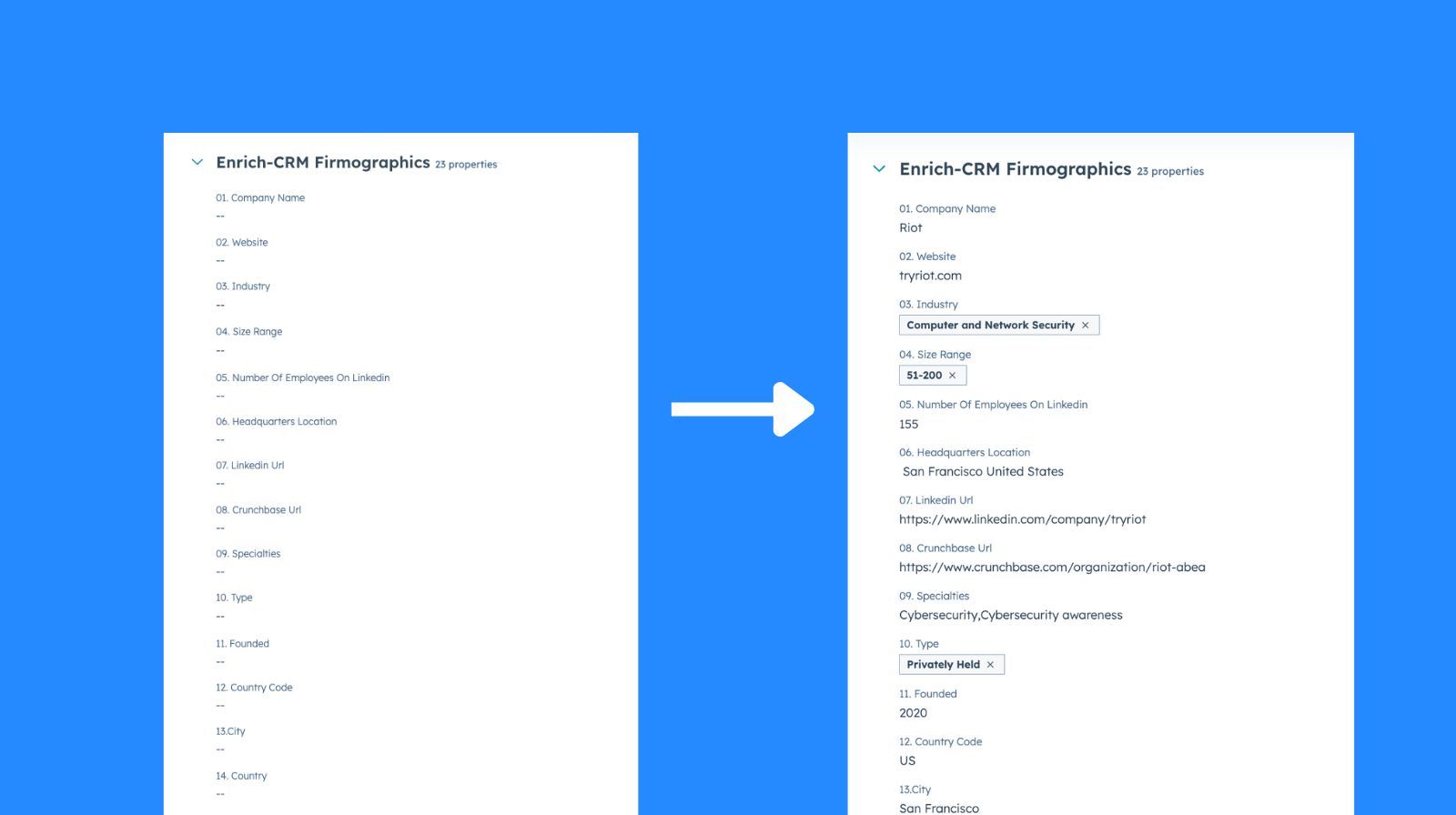
This is the kind of context that helps you prioritize leads, segment properly, and avoid flying blind 🤫
2. Starting Your Enrichment Task
To enrich your database, click the "Start Enrichment" button.
Then select your HubSpot account and hit Next.
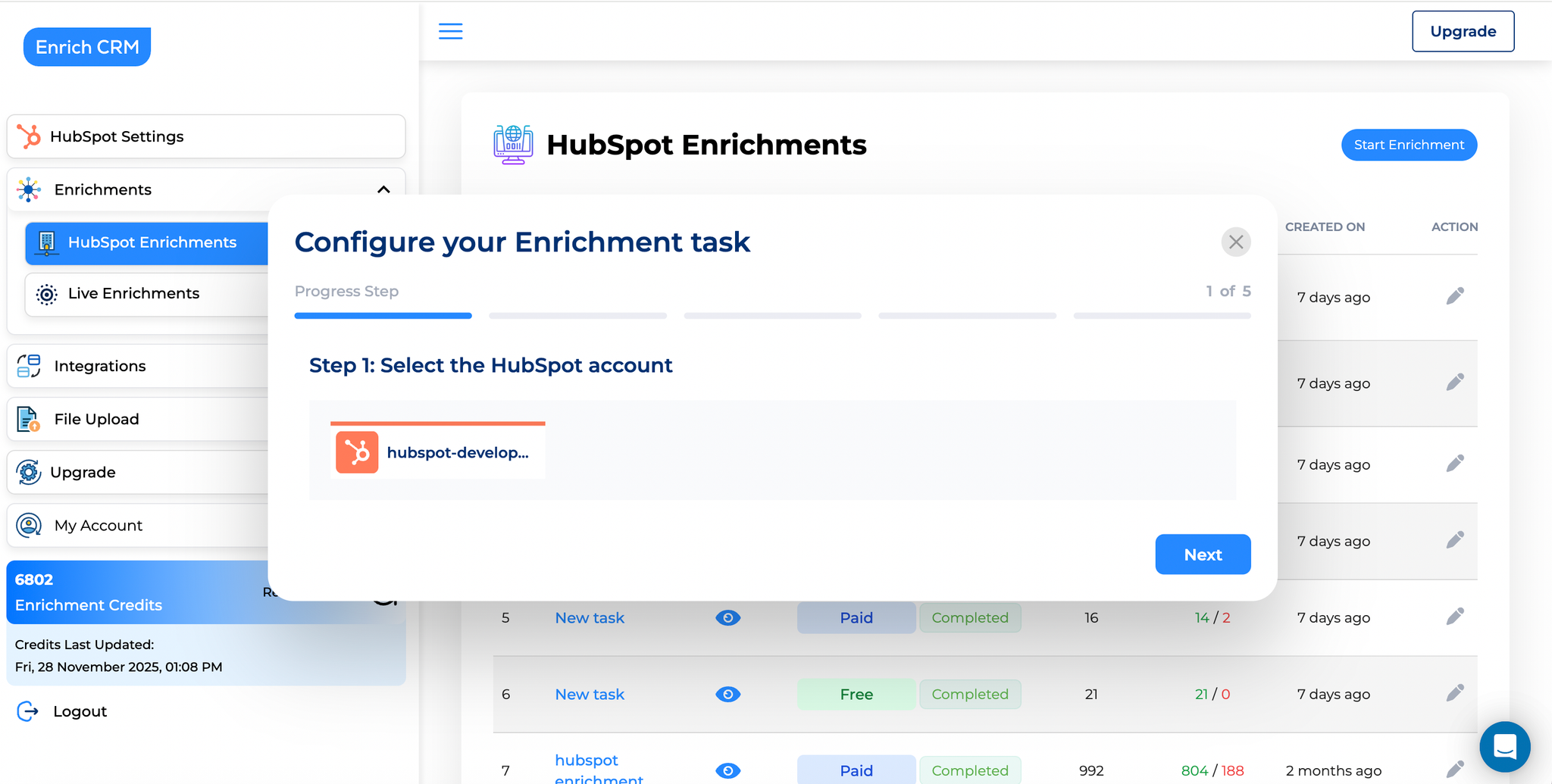
This is your starting point 🎬
3. Choose Who You Want to Enrich
Enrich CRM lets you decide whether you want to:
- ✔️ Enrich all HubSpot contacts
- ✔️ Enrich all HubSpot companies
- ✔️ Enrich only specific lists or groups
If you only want certain contacts enriched for example, a particular list simply drag it into the selection area.
It works the same way for companies.
If you want a full refresh for everyone, just select All Contacts and Companies.
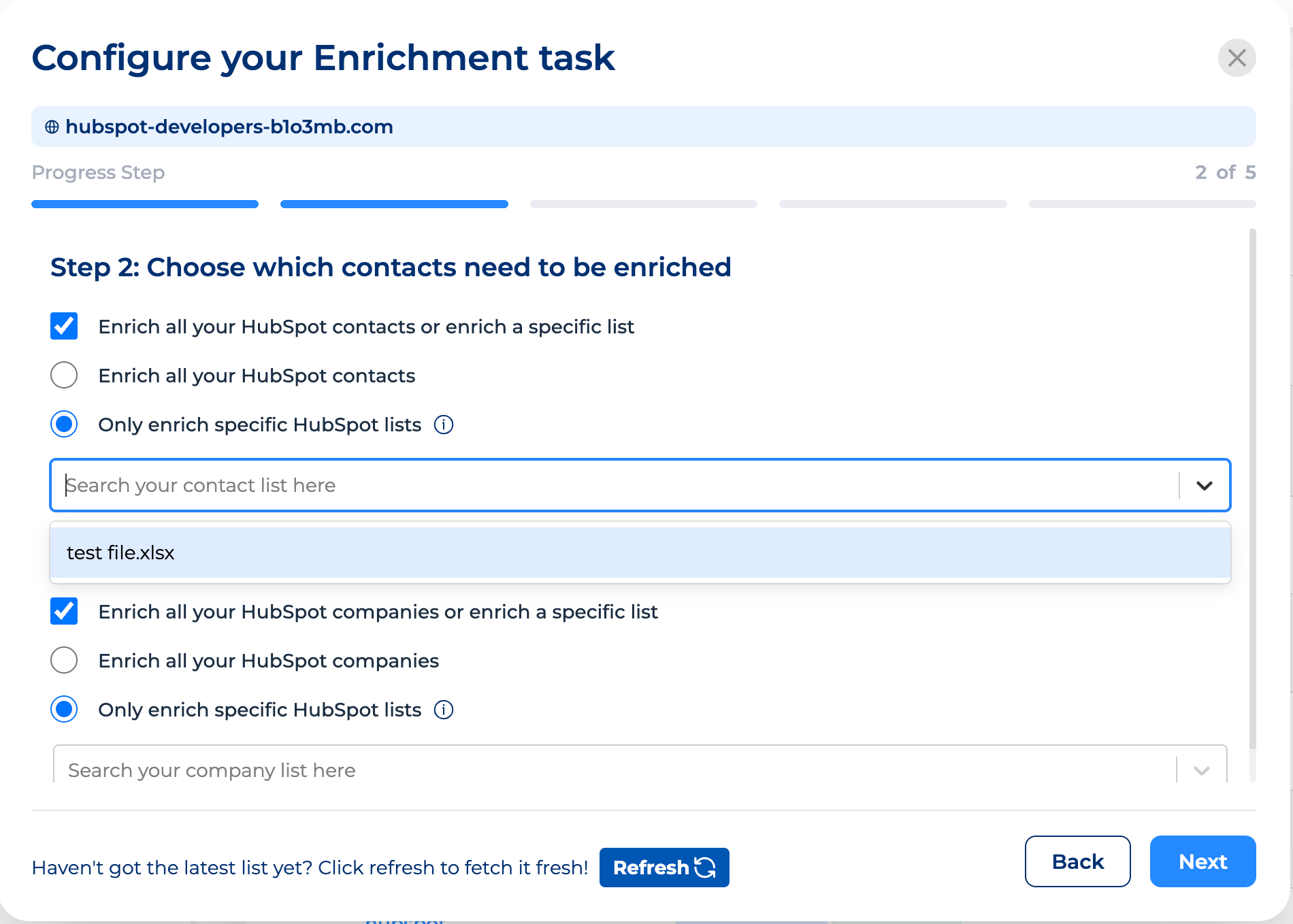
If you have new list of data, don't forget to hit refresh button.
Click Next to continue. 🏁
4. Decide Which Enrichment Types You Want
This is where you choose the data categories.
Here's the good news 🌟:
Firmographics (company-level enrichment) is 100% free for all paid and free plans in HubSpot 🎁
You can enrich company size, industry, website, and other firmographics info without spending any credits.
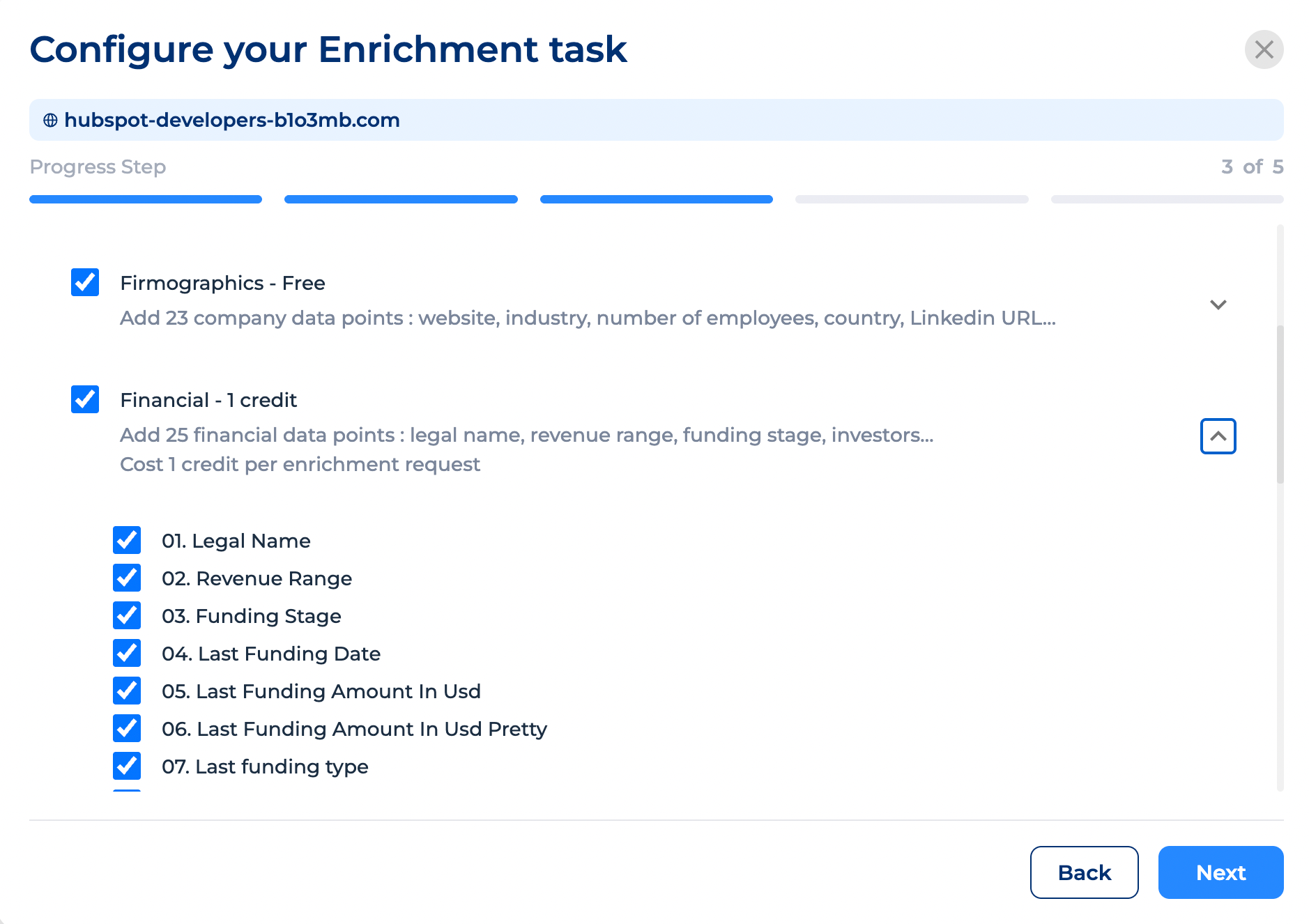
Other enrichment groups include:
- Contact information
- Financial data
- Tech stack
- Funding rounds
- Email finder
- And more
Each category uses one credit — not each property.
So you're not charged for every single detail individually.
It's just one credit per group.
Check the detailed list of datapoints included in each group: https://docs.google.com/spreadsheets/d/11Zd3ynSKpnzzqJrjTHRlrXDYaG_uBp7Y6YQAGbDwslQ/
It shows everything you can expect before you activate it.
Also important:
Enrich CRM never overwrites your existing HubSpot data.
You never lose your current information and enrichment only fills in missing fields.
Click Next 👇
5. Choose Your Enrichment Frequency
Now you decide whether enrichment runs:
- Once only
or
- On a recurring schedule (daily, weekly, monthly)
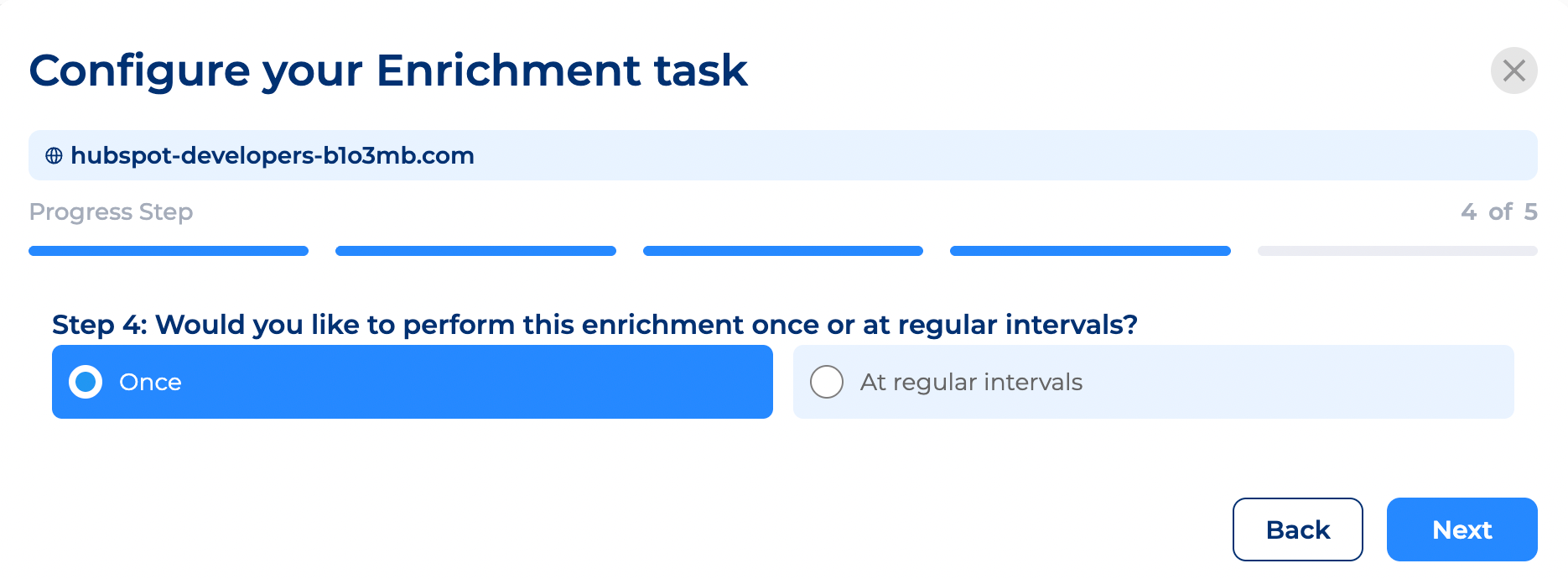
Here is why?
Recurring enrichment is incredibly helpful because your CRM ages quickly.
Job titles change.
Employees move companies.
New contacts come in through imports or integrations.
If you want your CRM always up-to-date, choose regular intervals.
For this example, let's select:
- Process all contacts
- Run at regular intervals
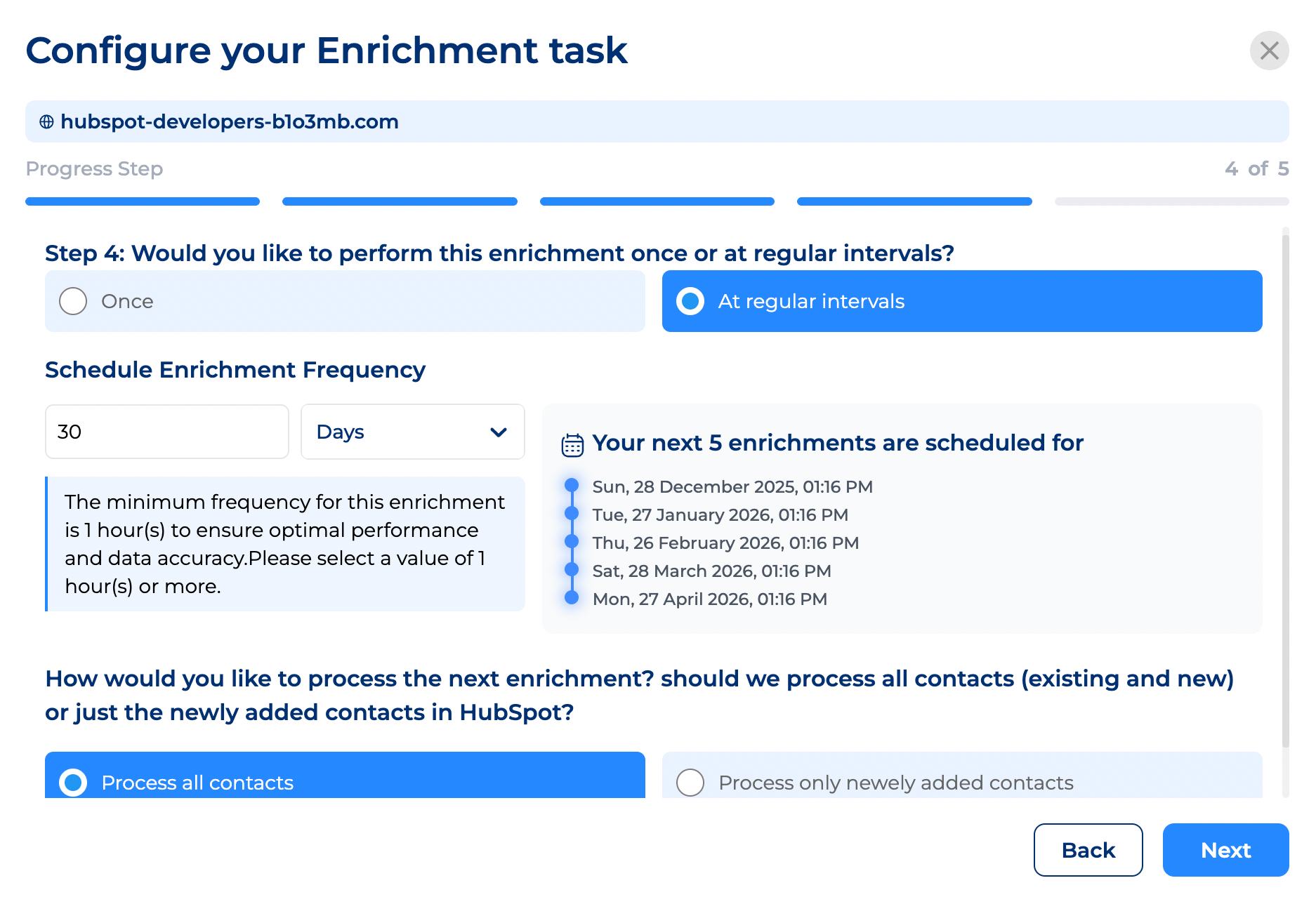
Add specific cases such as:
- Running automated enrichment every 30 days on every contact associated with a won/lost deal. Why: these are people knowing your company, products, services and there is a high business probability when they switch company.
- Running automated enrichment with specific datapoints when contact or company matches a criteria. For example, let's say you target marketing agencies top management, if a new contact is a working at a company in the "marketing services" industry, then run a contact enrichment to get more data on the contact and define how to engage him.
- When a job change is detected "status = NEW_COMPANY" then add to the "find email" list and enrich newly added contacts to that list every hour.
Click Next 🙌
6. Name Your Enrichment Task
Give your task a name you'll recognize something meaningful like:
- "Full HubSpot Enrichment – Jan 2025"
- "Sales Team Priority Enrichment"
- "New Lead Email Finder"
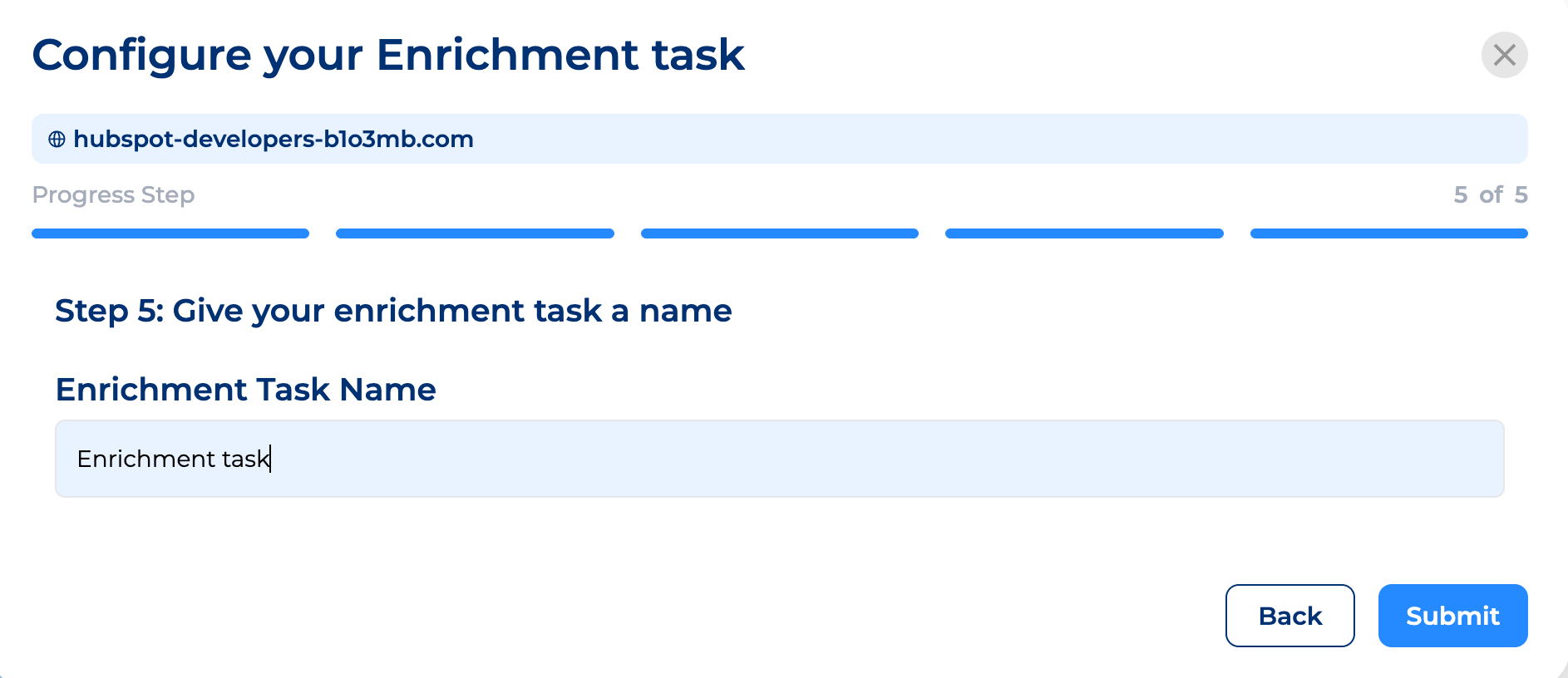
Anything works, as long as you remember what it refers to.
Then click Submit 🔔
7. Let the Enrichment Run
Enrich-CRM runs live requests over the web turning unstructured data into standardized datapoints.
Enrichment time depends on:
- Your HubSpot database size
- Number of records
- The properties categories you selected
For some tasks, it takes a few minutes.
For larger tasks, it may take a few days.
Either way once it's started, you'll see your results instantly 💯
8. Viewing Your Enriched Data
In this example, we had 992 contacts.
Enrich CRM shows you:
- Total contacts
- How many are currently enriching
- Which ones are completed
- Progress in real time
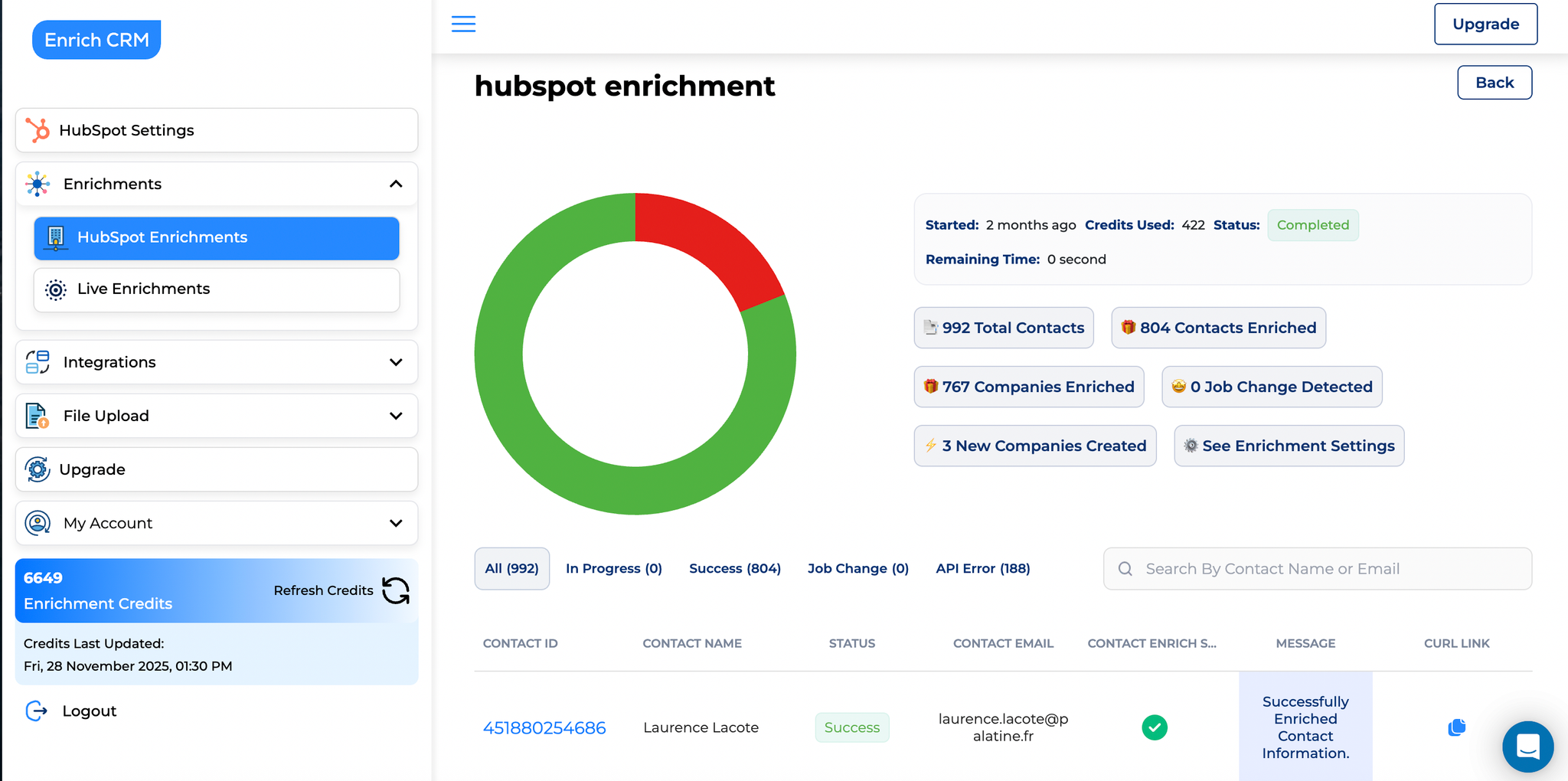
Once a contact/company is enriched, you can click their record and you'll be taken directly to their HubSpot profile.
There, you'll see everything neatly organized inside HubSpot's properties.
9. Why Enrichment Matters for Sales & Marketing Teams
This isn't just about making your CRM look nice.
It's about protecting your team from bad decisions. 🫤
For example: if your trusted partner contact suddenly changes jobs, you don't want to spend days sending emails to an inbox no one checks anymore.
Job change detection saves you from wasted effort and missed opportunities.
Better data = better decisions.
You can segment smarter, prioritize leads faster, and finally trust the information you're looking at.
10. Need Help? We're Always Here
If you ever have questions, issues, or want help choosing enrichment categories, you can:
- Contact support
- Book a meeting with the team
- Ask us anything — we're happy to guide you
You're never doing this alone.